
Google Chrome adds Gemini-powered scam detection, warns users of ClickFix attacks

These security enhancements form a core component of the Enhanced Protection mode within Chrome’s Safe Browsing feature. According to internal data provided by Google, this advanced setting makes users up to ten times safer from phishing attempts, social engineering traps, notification abuse, and various online scams compared to the browser’s standard default protection settings. By integrating artificial intelligence directly into the browser’s threat-detection pipeline, Google aims to close the gap between rapidly mutating web threats and traditional security response times.
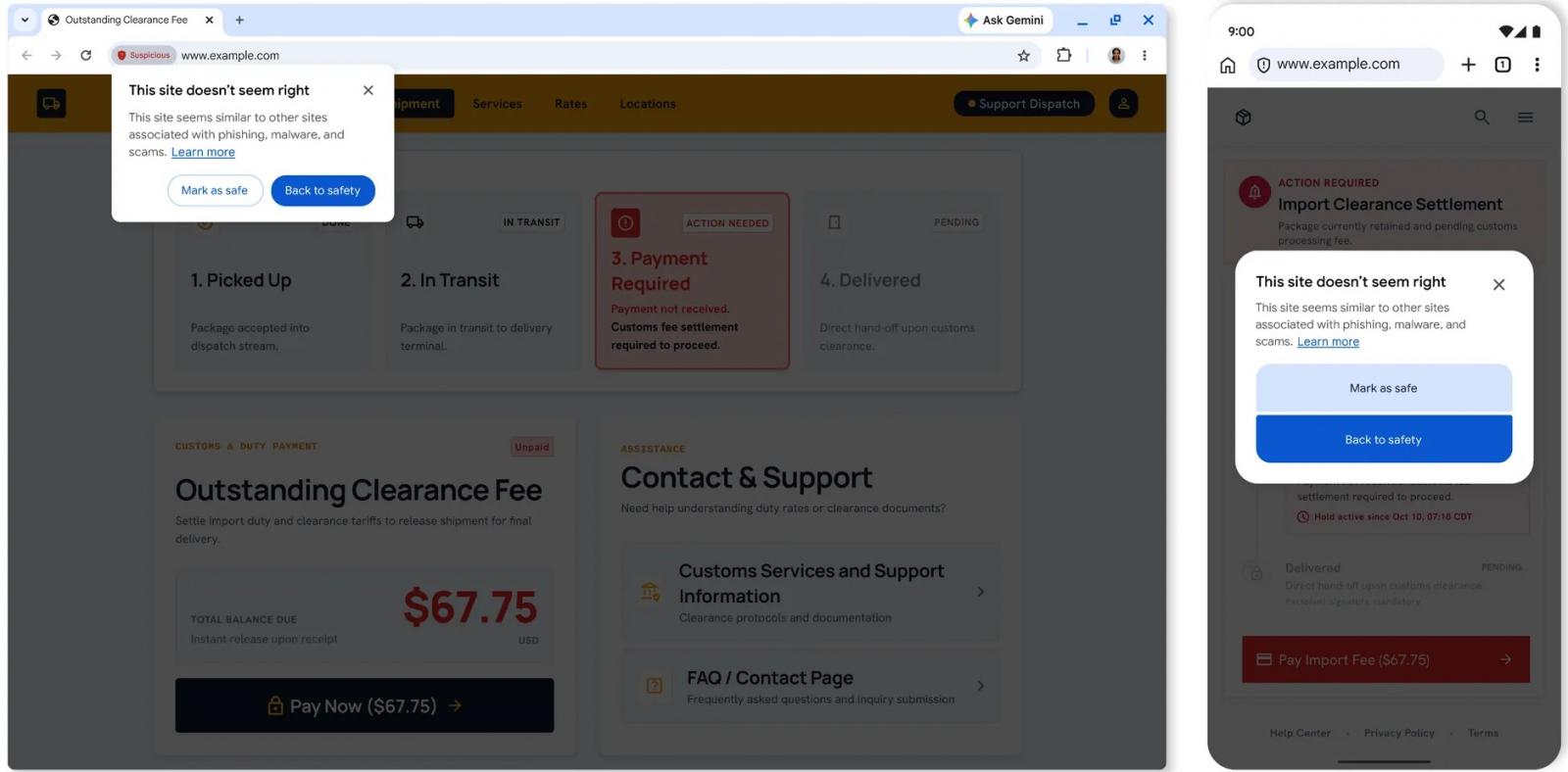
As part of this comprehensive rollout, Chrome is introducing a nuanced tier of alerts known as "suspicious site warnings." This new user interface tier is specifically tailored for web pages that exhibit deceptive patterns commonly associated with malicious operations, but which have not yet reached the strict statistical confidence threshold required to trigger Chrome’s full-page red warning screen.
Company engineers explained that by introducing a more adaptive warning interface, Chrome can safely expand its overall coverage area and display a significantly higher volume of protective warnings to users encountering borderline or emerging fraudulent pages. These warnings notify individuals when a site displays recognizable indicators of deception, allowing them to exercise caution before entering personal information or credentials.

Gemini is Moving from On-Device to Server-Side Scam Detection
A significant shift in this security update involves the evolution of how Google utilizes its Gemini artificial intelligence models to combat fraud. Previously, Chrome relied on an on-device Gemini model specifically tuned to detect tech support scams. While effective for localized analysis, browser developers have now transitioned to a much more powerful server-side model designed exclusively for users who have opted into Enhanced Protection.
Under the updated architecture, when a user navigates the web, the server-side model evaluates a complex matrix of signals to determine a page’s legitimacy. These indicators include the specific brand or entity being represented on the page, the underlying intent of the content, and probabilistic indicators that point toward fraudulent behavior. Safe Browsing then synthesizes this artificial intelligence analysis alongside traditional security metrics, such as domain reputation and historical telemetry, to render a final safety verdict.
To address widespread and valid privacy concerns regarding the transmission of user data to cloud infrastructure, Google has emphasized that Chrome strictly minimizes the amount of information shared with the server. Page text and content are only analyzed when a website exhibits high-confidence scam indicators that demand a deeper inspection. Furthermore, whenever page content is sent off the device for evaluation, it is processed ephemerally. This means the data is never logged, retained, or utilized in any capacity to train future machine learning models.
Chrome Can Now Catch ClickFix Commands
In addition to detecting fraudulent web pages, the upgraded Enhanced Protection features are now capable of intercepting deceptive techniques known as ClickFix attacks. These social engineering tactics typically manipulate users into performing actions themselves, often by convincing them to copy and paste malicious commands into the Windows PowerShell or Command Prompt interfaces under the guise of fixing a software error, updating a browser component, or resolving a viewing issue.
When a user copies text to their clipboard while browsing, Chrome’s enhanced security layer evaluates the payload if it suspects the presence of a potential ClickFix script. Before any data is dispatched for evaluation, the browser automatically strips out personally identifiable information to protect user privacy. The sanitized payload is then sent to Safe Browsing for deep analysis.
If the backend analysis determines that the copied command string is dangerous or associated with known malicious campaigns, Chrome intervenes by displaying an immediate warning before the user has a chance to execute the code in their system terminal. This proactive measure aims to disrupt attacks at the crucial moment of human interaction, preventing users from unknowingly compromising their own operating systems.

Related News