
Kali Linux Releases Version 2026.3 with Kernel 7.1.5, KDE Plasma 6.7, and Containerized Build Scripts

The development team behind Kali Linux has officially rolled out version 2026.3, marking the third major release for the popular cybersecurity distribution this year. Tailored specifically for ethical hackers, penetration testers, red-teaming professionals, and network security researchers, the new release packs a significant punch. It introduces six new specialized hacking tools, comprehensive desktop environment improvements, updated build scripts featuring containerization support, and a wide array of under-the-hood package updates designed to streamline modern security workflows.
As a versatile Linux distribution, Kali remains accessible across an extensive range of hardware platforms. It can be installed directly as a primary operating system, run as a live environment from portable media, or deployed on specialized hardware architectures, including Raspberry Pi single-board computers and mobile Android devices via Kali NetHunter. This flexibility ensures that security professionals can carry out vulnerability assessments, compliance audits, and security research regardless of whether they are working from a high-end workstation or a portable field kit.
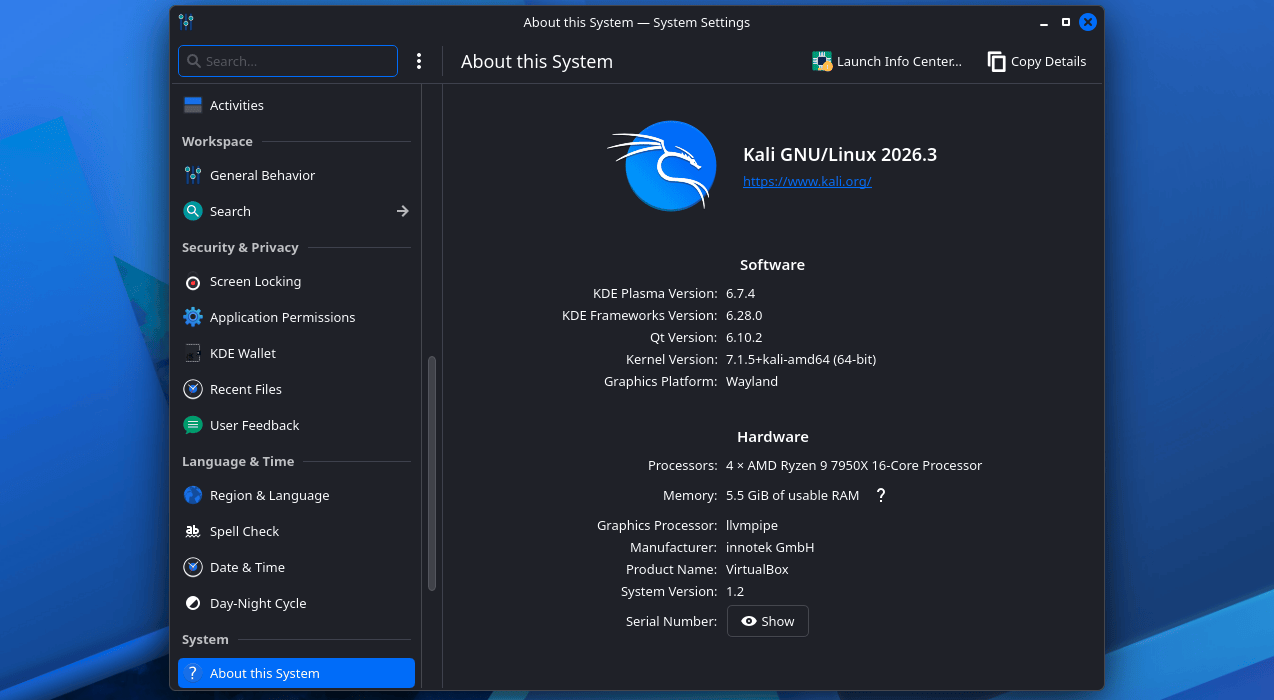
Under the hood, the Kali Team has been exceptionally busy preparing the latest iteration of the distribution. Version 2026.3 features updates to 126 core packages, the inclusion of several new system libraries, and a major kernel upgrade jumping from version 6.19 to 7.1.5. This transition brings improved hardware compatibility, better performance metrics, and enhanced security primitives directly into the core operating system, laying a robust foundation for the execution of advanced security tools and resource-intensive network simulations.
Alongside these kernel and package-level upgrades, the release incorporates six newly added hacking tools into the default software repositories. While the specific lineup varies with each update cycle to reflect the evolving threat landscape and the needs of the offensive security community, these additions continue Kali’s tradition of providing a comprehensive, out-of-the-box arsenal for security assessments. The continuous curation of these utilities ensures that practitioners have immediate access to current methodologies for discovering vulnerabilities, mapping network topologies, and analyzing cryptographic implementations.
Desktop Environment Updates in Kali Linux 2026.3

Beyond backend enhancements, Kali Linux 2026.3 delivers substantial updates to its graphical user interface, most notably adopting KDE Plasma 6.7 alongside a refreshed set of system icons. KDE Plasma 6.7 introduces a variety of targeted performance enhancements and integrated Intel GPU power-usage optimizations, which together reduce system overhead and extend battery life for mobile penetration testers working in the field. Workflow optimizations have also been a major focus for the desktop environment team in this release cycle.
Among the standout features of the updated desktop experience is the introduction of per-screen virtual desktops. This capability empowers users to establish entirely separate workspaces on the same desktop environment, segmenting resource-intensive activities such as web browsers, active terminal sessions, and technical documentation into dedicated logical views. Navigational improvements make moving between these distinct virtual workspaces faster and more intuitive directly from the Overview interface.
Furthermore, ongoing improvements to additional Wayland protocols and portals continue to refine the graphical experience across modern Linux hardware configurations. Network management has also received practical quality-of-life adjustments; network connections can now be duplicated effortlessly. This feature saves valuable time for security professionals who frequently transition between multiple similar network configurations during engagements. Additionally, the integrated System Monitor has undergone further refinements, offering clearer insights into system resource consumption while heavy scanning or cracking tools are running in the background.
Refreshed Build Scripts and Container Integration
Version 2026.3 also brings a major overhaul to the build scripts utilized by the development team to generate official Kali Linux system images. The primary objective of this refresh is to establish greater consistency across diverse build platforms. Each script has been standardized to share identical features, command-line arguments, structural layouts, and a unified look and feel wherever technically feasible.
A particularly notable addition to this release cycle is built-in support for containerized building environments leveraging Docker and Podman. Each refreshed build script now incorporates a specialized script component designed to automatically detect which container engine is available on the host system, create the necessary isolated build container, and execute the entire image generation process securely from within it.
Although the team notes that not every build script has been fully refreshed ahead of the public rollout of Kali Linux 2026.3, the overarching roadmap aims to achieve complete coverage by the subsequent 2026.4 release. In the next stage of this engineering process, developers plan to fully automate these build pipelines and associated workflows, further streamlining the distribution’s development cycle.
How to Obtain and Upgrade to Kali Linux 2026.3
Security professionals and enthusiasts wishing to adopt Kali Linux 2026.3 can do so through several pathways, including upgrading an existing installation, selecting a preferred platform configuration, or directly downloading fresh ISO images for new installations and live distributions from the official project website.
Users running an existing rolling-release installation can transition to the latest version by updating their package manager sources and executing a full system upgrade via the command line. System administrators typically handle this by configuring the official Kali rolling repository, refreshing the package lists, and executing a full distribution upgrade followed by clearing out any outdated configuration files and rebooting the system if kernel changes require it.
For practitioners utilizing Kali Linux within the Windows Subsystem for Linux environment, developers recommend upgrading to WSL 2 to ensure optimal support for graphical applications and modern toolsets. Users can verify their active WSL version by executing a simple status command within the Windows Command Prompt. Once the upgrade procedure is finished, administrators can easily verify the success of the update by querying the system release information. The comprehensive changelog detailing every package modification, security fix, and upstream contribution included in Kali Linux 2026.3 remains publicly available on the official Kali project blog.

Related News